
RAM (Random Access Memory) supports a smooth workflow when mixing and mastering. Here is a closer look at the key points:
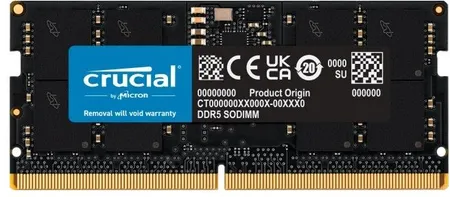
Mastering is the final stage of music production and requires precise audio data processing. Sufficient RAM supports:
Smooth work with high-resolution audio files
Fast loading and processing of effects plugins
Efficient handling of multiple tracks at once
Stereo mastering usually needs less RAM than large mixing projects.
Benefits of more RAM
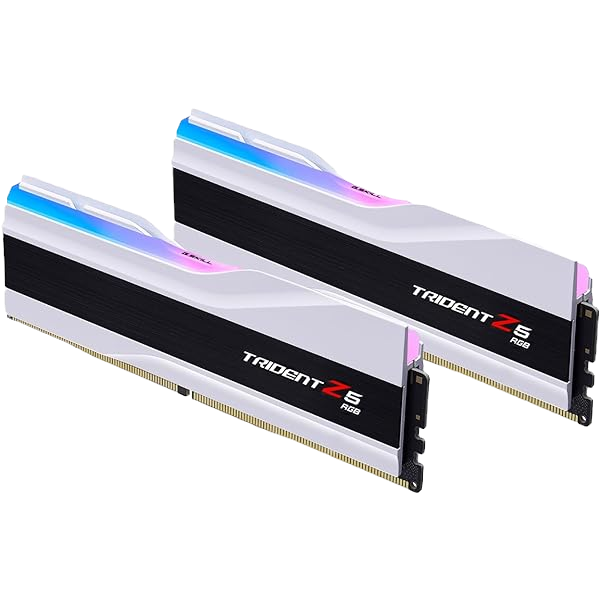
System performance: more RAM helps mainly when the existing capacity is insufficient. Potential benefits include:
Smooth handling of large projects: Mastering involves processing large audio files and plugins. RAM provides working space for this data. Enough memory avoids unnecessary paging to disk; processor performance and audio drivers also remain important.
Shorter project loading times
Smoother work with many plugins
Handling more audio tracks at once
Productivity: having enough RAM
helps avoid stalls and slowdowns caused by insufficient memory
can avoid delays caused by insufficient memory
Work with larger projects
How much RAM do you need?
Indicative requirements:
16 GB — for basic mastering projects
32 GB: a useful starting point for many professional projects
64 GB or more: for large projects with many plugins and large audio files
RAM and the mixing and mastering workflow
Sufficient RAM supports:
Working with high-resolution audio, such as 24-bit/96 kHz
Using more demanding plugins, such as linear-phase EQs
Real-time monitoring and analysis with multiple tools, including visual analysers.
An investment in future projects
More RAM can help you:
Handle more demanding projects
can help you handle more demanding projects reliably
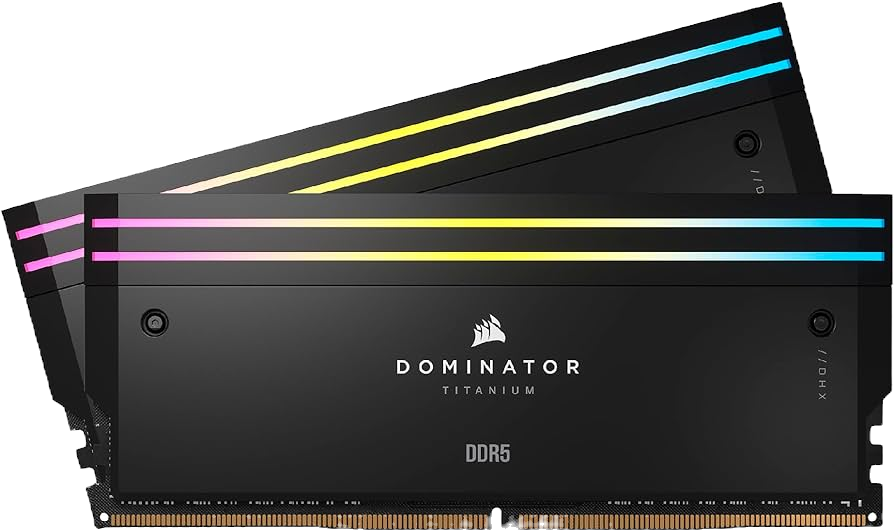
DDR4 and DDR5 data rates:
DDR4: Common DDR4 data rates include 2133, 2400, 2666, 2933 and 3200 MT/s. Overclocking profiles can reach 3600, 4000 or 4400 MT/s and higher.
DDR5: DDR5 started at 4800 MT/s. Faster kits offer, for example, 5200, 5600, 6000 or 6400 MT/s and higher.
Why four memory modules may require a lower clock speed
Higher memory-controller load: on 13th- and 14th-generation Intel processors, four modules can limit the memory speed that can be achieved stably.
Signal limitations: more modules place greater demands on signal integrity along motherboard traces.
XMP compatibility: many profiles are tested for the modules in a specific kit. Four modules or mixed kits can require different settings.
Effects on performance and stability
Speed and reliability: with all slots populated, a lower clock speed may be needed for stable operation.
XMP with two or four modules: a profile tested with two modules may not be stable with four. A lower clock speed may be necessary.
Possible solutions
Manual tuning: experienced users can adjust memory settings in the BIOS/UEFI. Changes must then be tested for stability.
Choose suitable memory kits: check the motherboard compatibility list and its specifications for four-module configurations.
Even at a lower clock speed, four modules can be useful because they provide more total capacity. What matters is whether the application needs that additional memory.
Why four memory modules may require a lower clock speed
Higher memory-controller load: four modules put more load on the i9-13900K controller than two and can limit the speed it can run stably.
Signal limitations: more modules place greater demands on signal integrity along motherboard traces.
XMP compatibility: many profiles are tested for the modules in a specific kit. Four modules or mixed kits can require different settings.
Effects on performance and stability
Speed and reliability: with all slots populated, a lower clock speed may be needed for stable operation.
XMP with two or four modules: a profile tested with two modules may not be stable with four. A lower clock speed may be necessary.
Possible solutions
Manual tuning: experienced users can adjust memory settings in the BIOS/UEFI. Changes must then be tested for stability.
Choose suitable memory kits: check the motherboard compatibility list and its specifications for four-module configurations.
Even at a lower clock speed, four modules can be useful because they provide more total capacity. What matters is whether the application needs that additional memory.
RAM voltages:
Standard voltage: DDR5 has a standard voltage of 1.1 V, compared with 1.2 V for DDR4
Higher voltages for faster profiles: Faster DDR5 kits can use profiles with higher voltages such as 1.25 V or 1.3 V. Use the settings specified for the particular kit and platform.
Power management IC (PMIC): DDR5 places the power management IC (PMIC) directly on the memory module to regulate its supply voltages. Overclocking options also depend on the module and platform.
The lower standard voltage can reduce power consumption. Actual savings compared with DDR4 depend on capacity, data rate and workload.
Voltage profiles: XMP 3.0 profiles contain settings for higher data rates, timings and voltages. Using them is memory overclocking and requires stability testing.
Differences between DDR4 and DDR5:
Important DDR5 changes include:
Integrated power management IC (PMIC): DDR5 places the PMIC on the memory module, where it regulates the supply voltages.
Two independent 32-bit subchannels: DDR5 modules use two independent 32-bit subchannels, which can transfer smaller blocks of data more efficiently.
XMP 3.0: This version of Extreme Memory Profile adds profile and configuration options.
ECC error correction: DDR5 uses on-die ECC for internal error correction within the memory chip. This does not replace full ECC protection between memory and processor.
Same-bank refresh: Individual banks can be refreshed more selectively while others remain available for access.
More memory banks: Typical DDR5 chips have more memory banks than DDR4, allowing more parallel memory operations.
Longer minimum burst length: Increasing BL8 to BL16 improves data bus utilisation.
Decision Feedback Equalization (DFE): Improves signal integrity at high data rates.
Additional temperature sensors: Server modules can include temperature sensors to monitor operating conditions.
GEAR settings:
Gear 1:
1:1 ratio: The memory and memory controller operate at the same actual clock frequency.
Advantages: A synchronous controller clock can provide low latency. Whether an application benefits depends on the overall configuration.
Drawbacks: At high clock speeds, Gear 1 can exceed the memory controller’s capabilities. The available modes depend on the specific Intel platform.
Gear 2:
1:2 ratio: The memory controller runs at half the actual memory clock.
Advantages: The lower controller clock can make higher memory speeds possible. Stability must be tested for the specific configuration.
Drawbacks: Latency can be higher than in Gear 1. The effect on applications depends on the complete system.
Gear 4:
1:4 ratio: The memory controller runs at one quarter of the actual memory clock.
can enable very high memory speeds, but is rarely needed in everyday use. Many Intel DDR5 configurations operate in Gear 2.
Additional latency can disadvantage applications that access RAM frequently.
When should Gear 2 or Gear 4 be used?
Gear 2 is common on Intel DDR5 systems. Whether high speeds such as 6000 MHz are stable depends on the processor, motherboard and memory kit; a particular Gear mode does not guarantee stability.
Gear 4 is rarely used in everyday operation. At very high memory speeds, this mode can help reduce the load on the memory controller, at the cost of higher latency.
In summary, DDR5 uses a lower standard supply voltage. A PMIC on the module regulates its power supply. The adjustments available depend on the module, motherboard and BIOS.
My current mixing and mastering computer has 32 GB of G.Skill Trident RAM with a 6600 MHz profile. I run it at 4800 MHz for my work.
RAM is only one part of a capable mastering system. A fast processor, an SSD and a good audio interface also matter. Insufficient RAM can slow down audio work, however. Choosing enough memory makes work easier and provides capacity for demanding projects. It does not automatically improve sound, but it can help the tools you need run reliably. Adding RAM is particularly worthwhile when available memory is actually running short.