Hi! I recently started using Waves Equator in my recording studio and would like to share my experience. Here is how Equator works in practice and which problems in mixing it can help address during mixing and mastering.
Intelligent resonance suppression in a professional mix
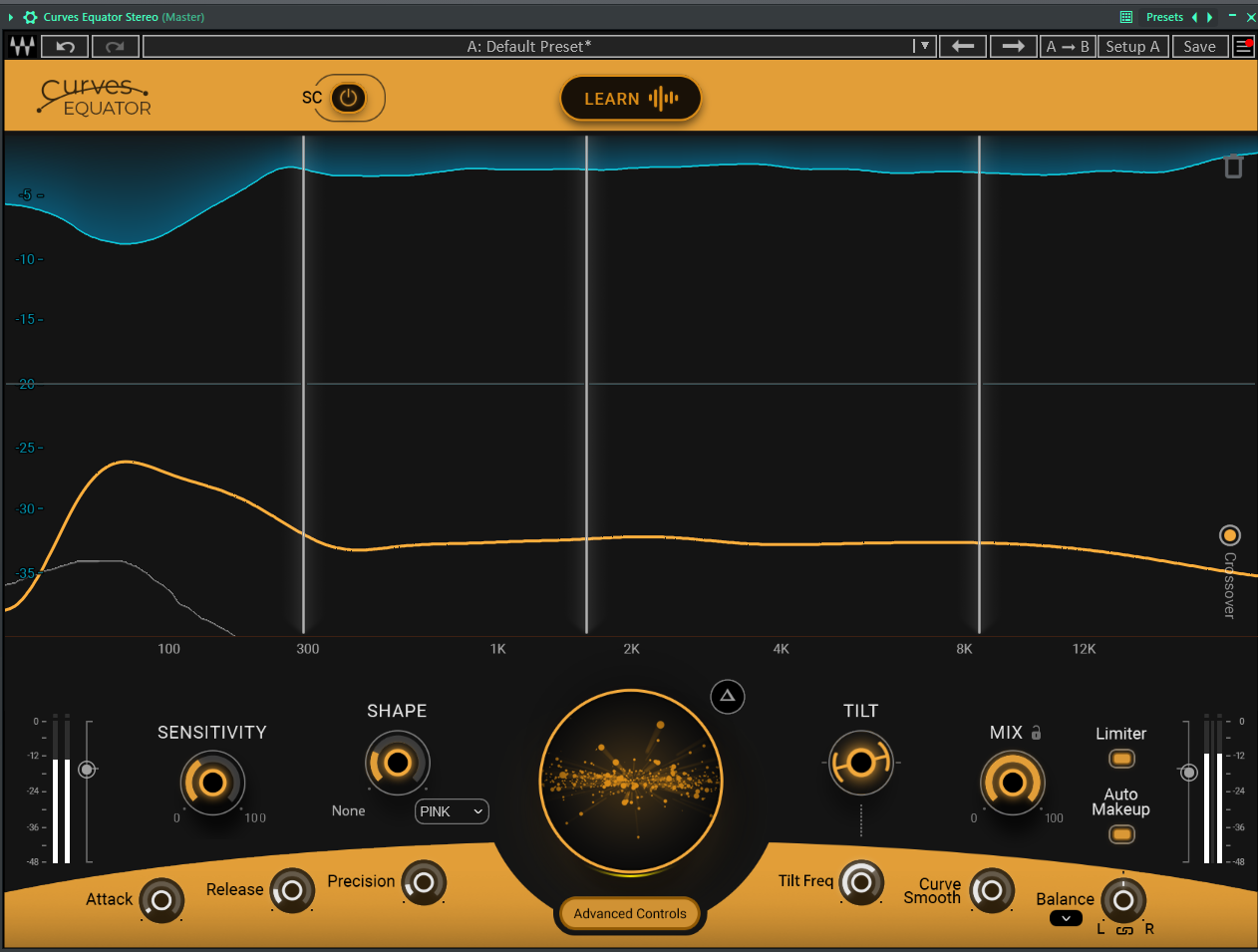
Waves Equator is an advanced EQ that identifies and precisely reduces problematic frequencies in a studio mix. This produces a cleaner, clearer sound. Automatic processing quickly reduces resonances that could disturb the balance of a professional mix.
Distinctive features for advanced mixing
Equator offers a range of useful features for a professional studio:
Learn function: Analyses selected track sections and creates a tailored correction curve for the desired mix.
Frequency unmasking through sidechain: Dynamically creates space between instruments, particularly useful in dense studio mixes.
8 correction nodes and 4 processing bands: Provide extensive control over sound shaping during mastering.
Dynamic Auto Makeup Gain: Automatically adjusts loudness to compensate for level changes caused by correction in the mix.
Comparison with other tools in a professional studio
Although Soothe2 is a leading tool for automatic resonance reduction, Equator offers some distinctive features for advanced mixing:
Intuitive operation and clarity: A modern, clear interface helps even newcomers work on a mix.
Sidechain function: Advanced sidechain unmasking, particularly suited to dense studio mixes.
Transparency at low and high frequencies: Equator performs particularly well at low frequencies, making it useful for bass and drums in a professional mix.
Advantages and drawbacks in the recording studio
Pros:
Intuitive interface for efficient mixing
Effective reduction of problematic frequencies
Versatile across different applications in the studio
Cons:
Less transparency at higher frequencies during mastering
Limited advanced options for some applications in the studio
Studio applications
Waves Equator works well for beginners and experienced producers in music production. It is effective at cleaning vocals, balancing complete mixes and reducing problematic frequencies on individual instrument tracks in the recording studio.
My observations
I mainly use it for vocals in my recording studio. This tool changes how I approach sound correction during mixing and mastering. Learn and dynamic sidechain unmasking make it a strong choice for producers looking for modern solutions for their studio.
Conclusion for professional mixing
Waves Equator is powerful and easy to use, helping streamline mixing — with versatility and ease of use in the studio. At the promotional price quoted in the article of $39.99 rather than $79, it offered good value for professional mixing and mastering, appealing to both beginners and experienced producers in music production.
My impressions of working with Waves Equator:
Video for this article · YouTube
Open on YouTube ↗