DAW output to OBS
Send the master output or a separate session bus to the EdgarStudio audio source in OBS.
Your sound starts in your DAW. EdgarStudio DAW to OBS Audio sends it to a separate audio source in OBS for streams, tutorials and recordings, while keeping your ASIO setup.
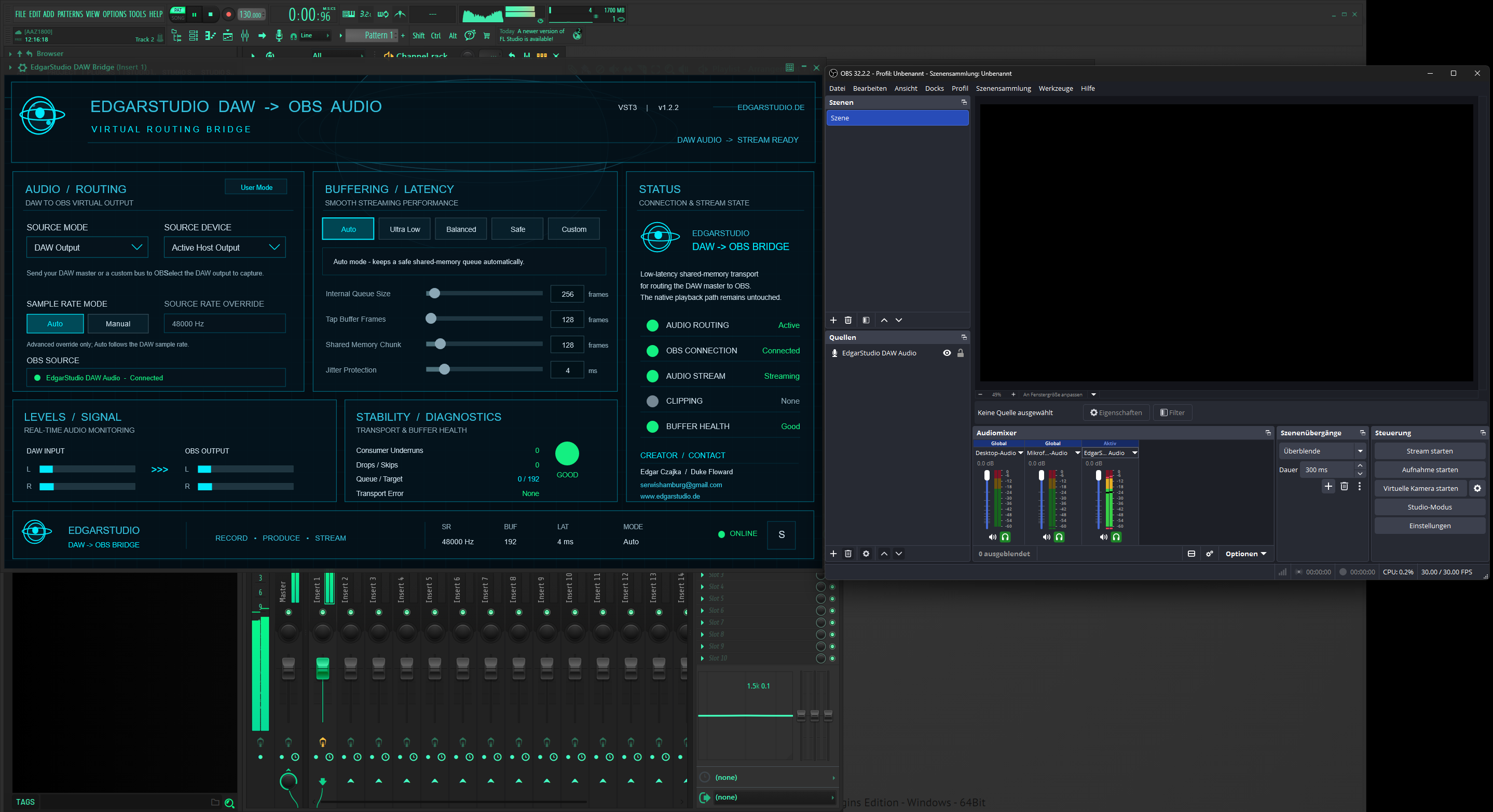
When working in a DAW with an ASIO driver, you often want to hear and record the mix in OBS at the same time. EdgarStudio Bridge receives audio from the DAW and makes it available as a separate source in OBS. Your stream signal is then visible and adjustable where you need it.
Send the master output or a separate session bus to the EdgarStudio audio source in OBS.
Input and output meters and connection status help you track the signal flow during a session.
Buffer and latency settings provide a starting point for stable streams and recordings.
Whether you make beats in FL Studio, produce in Studio One or prepare a live performance in Ableton Live, this solution connects your DAW audio to OBS without interrupting your creative work.
ASIO is used in the DAW. Audio reaches OBS through EdgarStudio Bridge and its OBS audio source, so OBS does not need to open the ASIO driver itself. Setup may vary depending on the DAW, driver and routing.
Reliable audio transfer from a DAW to OBS is an important part of many producers' and streamers' workflows. I am developing DAW to OBS Audio step by step, adding features and settings. Details of future versions will appear here once they are confirmed.